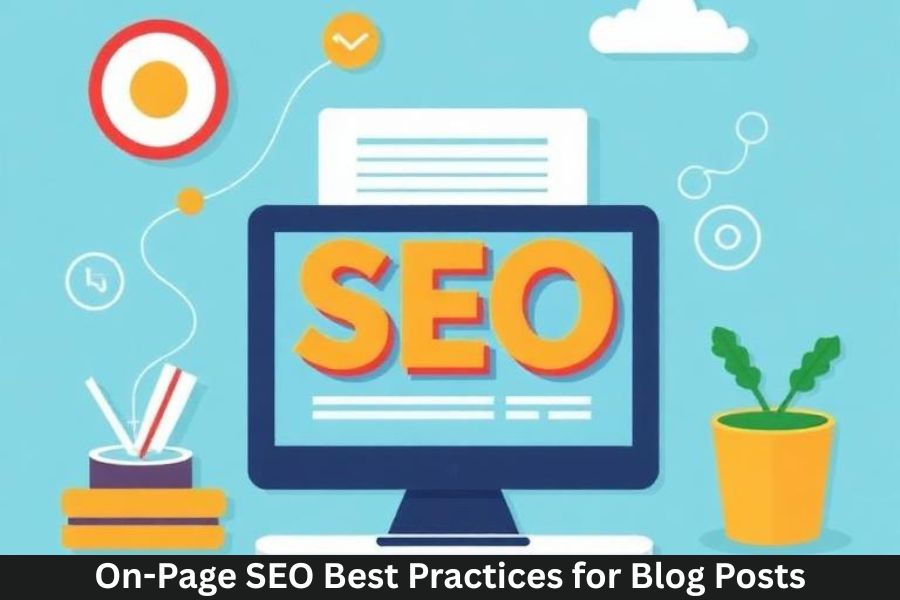
If you’re running a blog and want your posts to actually get noticed, on-page SEO is your best friend. Think of it like dressing up your content so search engines—and readers—can’t help but notice. It’s not just about stuffing keywords anymore; it’s about making your content useful, readable, and irresistible.
Let’s dive into everything you need to know to optimize your blog posts like a pro.
Understanding the Basics of On-Page SEO
What Is On-Page SEO?
On-page SEO includes all the optimizations you make directly on your blog post—content, title, headings, images, links, and more—to help search engines understand your page better.
How Search Engines Read Your Content
Search engines scan your page for signals:
- Structure
- Topic clarity
- Relevance
- Keywords
- User engagement
They match this with what users search online.
Keyword Research for Blog Posts
Finding the Right Keywords
Keywords are like road signs guiding users to your blog. Choose words your audience actually searches for.
Long-Tail vs Short-Tail Keywords
- Short-Tail: “SEO tips” → high competition
- Long-Tail: “on-page SEO best practices for blog posts” → easier to rank
Long-tail keywords are your secret weapon.
Tools for Keyword Research
Some great tools include:
- Google Keyword Planner
- Ahrefs
- Semrush
- Ubersuggest
- AnswerThePublic
Crafting SEO-Optimized Blog Titles
Using Power Words
Words like “best,” “ultimate,” “essential,” and “effective” increase clicks.
Title Length and Clarity
Keep it under 60 characters to avoid getting cut off in search results.
Adding Keywords Naturally
Place your main keyword close to the beginning of the title.
Writing High-Quality SEO Content
Importance of User Intent
Ask yourself: What does the reader want when they search this keyword?
Readability and Flow
Short paragraphs, simple words, and clear steps work wonders.
Using Conversational Tone
Talk to your reader like a friend. Skip jargon—give clarity instead.
Balancing Keywords and Natural Writing
Avoid keyword stuffing. Use keywords naturally 3–5 times in a 2000-word blog post.
Optimizing Headers and Subheaders
Why Headings Matter
Headings organize your content and help search engines understand key topics.
Using H2, H3, H4 Properly
- Use H2 for primary sections
- Use H3 for subsections
- Use H4 for detailed points
Meta Description Optimization
How to Write an Engaging Meta Description
Summarize your blog in 150–160 characters and include your main keyword.
Ideal Meta Description Length
Keep it between 140 to 160 characters for best results.
URL Optimization
Clean and Keyword-Rich URLs
A good URL:yourwebsite.com/on-page-seo-best-practices
Avoiding Stop Words
Skip words like a, an, the, for, of.
Image Optimization
Choosing the Right Image Format
Use:
- JPEG for photos
- PNG for graphics
- WebP for reduced size
Writing SEO-Friendly Alt Text
Alt text helps Google and visually impaired users understand images.
Reducing Image Size Without Losing Quality
Use tools like:
- TinyPNG
- Compressor.io
- Squoosh
Internal and External Linking Strategy
Benefits of Internal Links
These help users navigate your site and improve your SEO value.
Trust-Building with External Links
Linking to reputable sources increases your authority.
Improving User Experience (UX)
Mobile-Friendly Design
Most users browse on mobile—your site must be responsive.
Fast Page Loading Speed
Aim for a load time of under 3 seconds.
Engaging Visuals and Structure
Break text with:
- Images
- Infographics
- Bullet points
Using SEO Plugins and Tools
Yoast, RankMath, and Other Tools
These tools make optimization easy with:
- Readability checks
- Keyword suggestions
- Meta tag optimization
How They Improve On-Page SEO
They help you identify missing SEO elements before publishing.
Schema Markup and Rich Snippets
What Is Schema?
Schema markup gives search engines extra information about your content.
Types of Schema for Blog Posts
- Article schema
- FAQ schema
- How-to schema
Updating and Refreshing Old Content
Why Content Updates Matter
Google loves fresh content. Updating your posts often can boost rankings.
How to Refresh Older Blog Posts
- Add new facts
- Update keywords
- Improve structure
- Replace outdated images
Conclusion
On-page SEO isn’t complicated—it’s strategic. With the right steps, you can boost visibility, attract the right audience, and grow your blog faster than ever. It’s all about creating helpful, well-structured content that both search engines and readers love.
FAQs
1. How often should I update my blog posts?
At least every 3–6 months for best results.
2. Can I use multiple keywords in a blog post?
Yes, but focus on one main keyword and several related ones.
3. Does image size affect SEO?
Absolutely—large images slow down page speed.
4. What is the ideal blog post length for SEO?
1,500–2,500 words typically perform best.
5. Should I use SEO plugins even if I know SEO?
Yes—they save time and catch things you might miss.