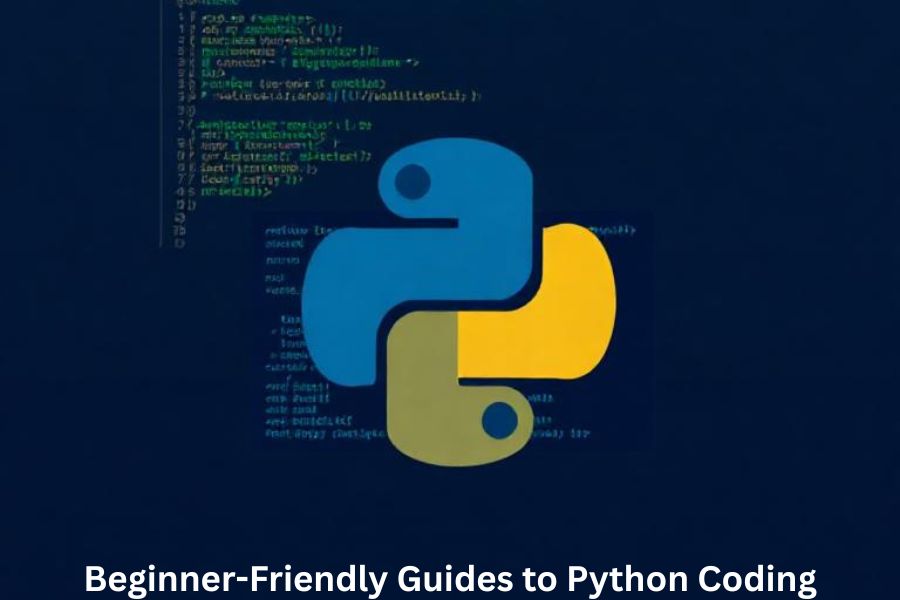
Python is one of the easiest programming languages to start with, especially if you’re new to coding. Its clean and readable syntax feels almost like writing English, which removes a lot of the fear around learning to program. Whether you want to build apps, analyze data, or automate tasks, Python helps you do all of that with minimal complexity.
Why Python Is the Best Language for Beginners
You’ll hear experts recommending Python again and again—and for good reason. Python is simple, versatile, and widely used across industries such as AI, web development, cybersecurity, and automation. If coding was a journey, Python would be the comfortable car that gets you there without unnecessary bumps.
What You Can Build with Python
Python lets you build almost anything:
- Web applications
- Games
- Data analysis dashboards
- AI and machine learning models
- Desktop automation tools
The possibilities are endless, and you can start small and scale up effortlessly.
Setting Up Your Python Environment
Before writing your first line of Python code, you need the right setup.
Installing Python on Windows, Mac, and Linux
Visit Python.org, download the installer for your operating system, and follow the steps. Don’t forget to tick “Add Python to PATH” during installation—this saves you hours of troubleshooting later.
Choosing the Right Code Editor
A good coding environment makes a big difference in how smoothly you learn.
VS Code
Lightweight, customizable, and perfect for beginners.
PyCharm
Great for larger projects where you need intelligent code suggestions and built-in debugging.
Jupyter Notebook
Ideal for data science and step-by-step code explanations.
Understanding Python Basics
Learning Python begins with understanding how it stores and processes data.
Variables and Data Types
Variables act like containers. Python supports:
- Integers (10, 100)
- Floats (3.14)
- Strings (“Hello”)
- Booleans (True/False)
Operators
Operators help you perform math, compare values, and create logic.
Input and Output in Python
input() collects data from users, while print() displays results—a simple but powerful combo.
Python Control Structures
Control structures let your program make decisions.
Conditional Statements (if-else)
These allow your program to think:
if age >= 18:
    print("You're an adult.")
Loops (for, while)
Loops automate repetitive tasks. Why repeat code manually?
Loop Control Statements
Use break, continue, and pass to manage loop behavior smoothly.
Working with Python Data Structures
Data structures store and organize your information.
Lists
Lists are flexible and easy to modify.
Tuples
Tuples look like lists but are unchangeable—perfect for fixed data.
Dictionaries
Dictionaries store key-value pairs like a real-world dictionary.
Sets
Sets automatically remove duplicates—great for unique collections.
Functions in Python
Functions are reusable blocks of code. They save time and reduce repetition.
Creating and Calling Functions
def greet():
    print("Hello, world!")
Parameters and Return Values
Parameters bring data into a function, while return values take data out.
Lambda Functions
These tiny anonymous functions are perfect for quick, one-time tasks.
Python Modules and Libraries
Libraries help you extend Python’s abilities.
Installing Modules with pip
Run:
pip install library-name
Introduction to Popular Libraries
NumPy
Best for mathematical operations.
Pandas
Ideal for data analysis.
Matplotlib
Brings your data to life with charts and graphs.
Object-Oriented Programming in Python
OOP helps structure your code in a clean, logical way.
Classes and Objects
A class is a blueprint; an object is a real instance of it.
Methods and Attributes
Methods are functions inside classes; attributes store object data.
Inheritance Basics
It lets you create new classes using existing ones—a real time-saver.
Practical Python Projects for Beginners
Nothing builds confidence like creating real programs.
Simple Calculator
A perfect first project that teaches logic and user input.
To-Do List App
Learn how to store and manipulate data.
Basic Web Scraper
Use libraries like requests and BeautifulSoup to collect website data.
Tips to Improve Your Python Skills
Practice Regularly
Consistency is key. Ten minutes daily beats a two-hour weekend session.
Read Other People’s Code
Browse GitHub or forums. You’ll pick up tricks professionals use.
Build More Projects
Start small, then go bigger. Your skills will grow naturally.
Common Mistakes Python Beginners Should Avoid
Too Much Theory, Not Enough Practice
Reading alone won’t make you a programmer—coding will.
Ignoring Code Readability
Clean code matters. Use spacing, proper names, and comments.
Copy-Pasting Without Understanding
Always try to understand what each line does.
Helpful Python Learning Resources
Websites
- W3Schools
- Real Python
- Python.org tutorials
YouTube Channels
- Corey Schafer
- Programming with Mosh
- Tech With Tim
Free Courses
- Udemy free Python courses
- Coursera beginner-friendly tracks
- Codecademy basics
Conclusion
Python is a beginner-friendly, powerful programming language that lets you build anything you can imagine. By learning step-by-step, practicing regularly, and exploring real projects, you’ll master Python faster than you think. Whether you’re planning a career in tech or simply want to automate tasks, Python is your perfect starting point.
FAQs
1. Is Python really easy for beginners?
Yes! Its simple syntax makes it one of the best programming languages for new learners.
2. How long does it take to learn Python basics?
With consistent practice, you can understand the fundamentals within a few weeks.
3. What projects should I start with?
A calculator, a password generator, or a to-do app are great beginner-friendly projects.
4. Do I need a powerful computer to learn Python?
Not at all—Python runs smoothly even on low-end computers.
5. Which Python library should beginners learn first?
Start with Pandas or Matplotlib if you’re into data, or Flask if you want to build web apps.